Ski school managementdownhill simple.
Manage rosters. Track attendance. Capture progression.
Skivei moves high-volume snowsports programs — like Hyland Hills' 300-strong roster — from paper cards to one record everybody is reading.
Piloted at Hyland Hills, MN — one of the Midwest's largest snowsports academies
One system. Three roles. No retyping.
Skivei maps onto how a snowsports school already runs, from the office to the lift queue.
Build the season
Programs, weeks, time slots, instructors, students. Set it up once in the autumn and run it all winter.
Teach, then file
One screen after the lesson: who was there, what level they reached, where you took them, how it went.
Read the week
Who filed and who has not, which concerns need acting on, which certifications have lapsed — then send the parents their reports.
Stop guessing who was on the hill.
One row per instructor, one column per thing you need to know. Who filed, who has not, what the group did, where they are going next — and what changed since last week, worked out for you.
- Week-over-week comparison: added, changed and removed, marked in place
- Terrain, level and per-student records on every response
- A concern raised by an instructor tints the row until somebody resolves it

Filed from a phone, in gloves, in the sun.
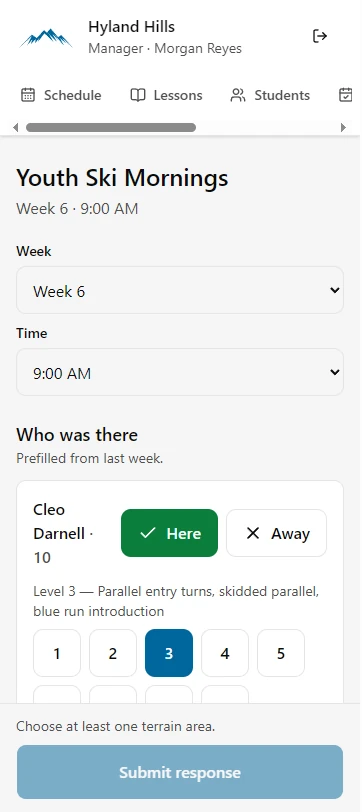
Instructors stay with their guests on snow. Afterwards the whole report is one screen: who was there, what level they are at, where you went, how it went. It arrives prefilled from last week, so a quiet week is a few taps.
- Prefilled from the previous week — correct the differences, not the whole form
- 48px targets and a submit button that names whatever is still missing
- Installs to a home screen; the layout holds at 375px
One source of truth for who turned up.
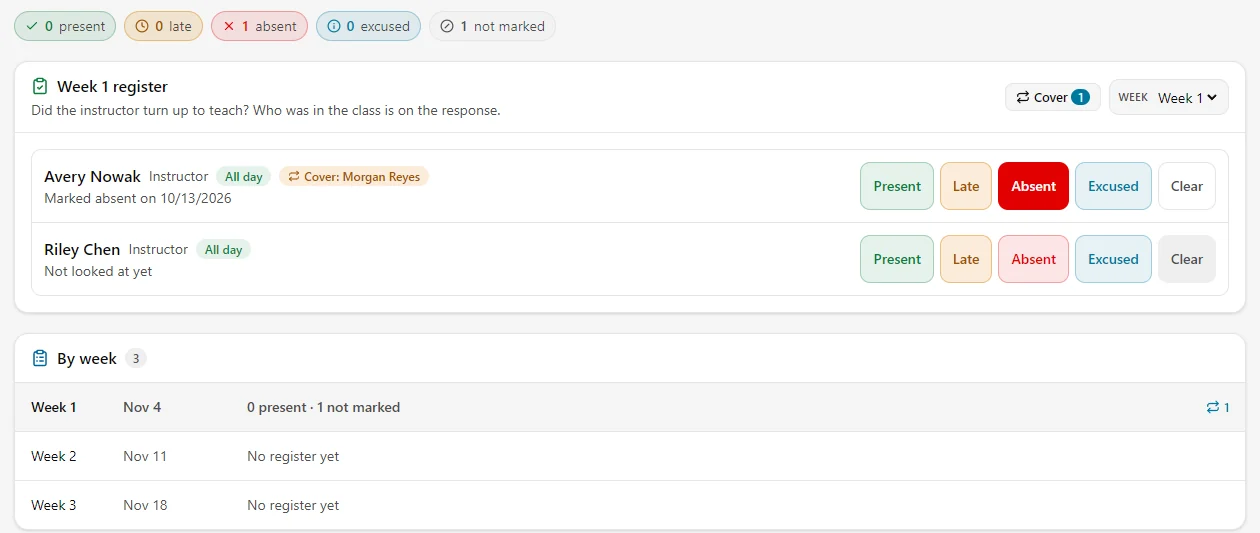
Present, late, absent, excused — and "nobody has looked yet", which is a different fact and is kept as one. Assign cover when somebody cannot make it, and see the whole season without opening a spreadsheet.
- Five states, with unmarked kept distinct from absent
- Substitute cover assigned per week, shown against the instructor it covers
- A by-week summary that says which weeks nobody has looked at
No more lost handwritten cards.
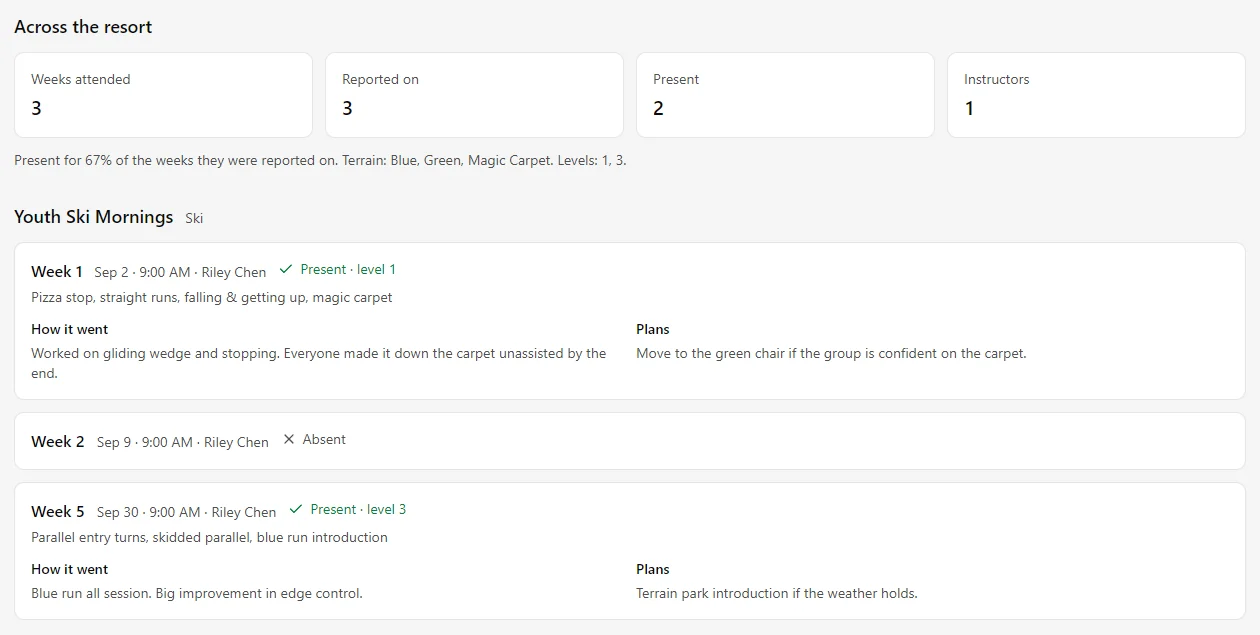
Every student builds a timeline — week by week, instructor by instructor. Levels, terrain, what they worked on, what the instructor planned next, and the weeks they were not there.
- Attendance and level progression across every session they attended
- Instructor notes and next-week plans kept in order
- Carried across programs, so a child who moves group keeps their history
Run a 300-strong roster without the chaos.
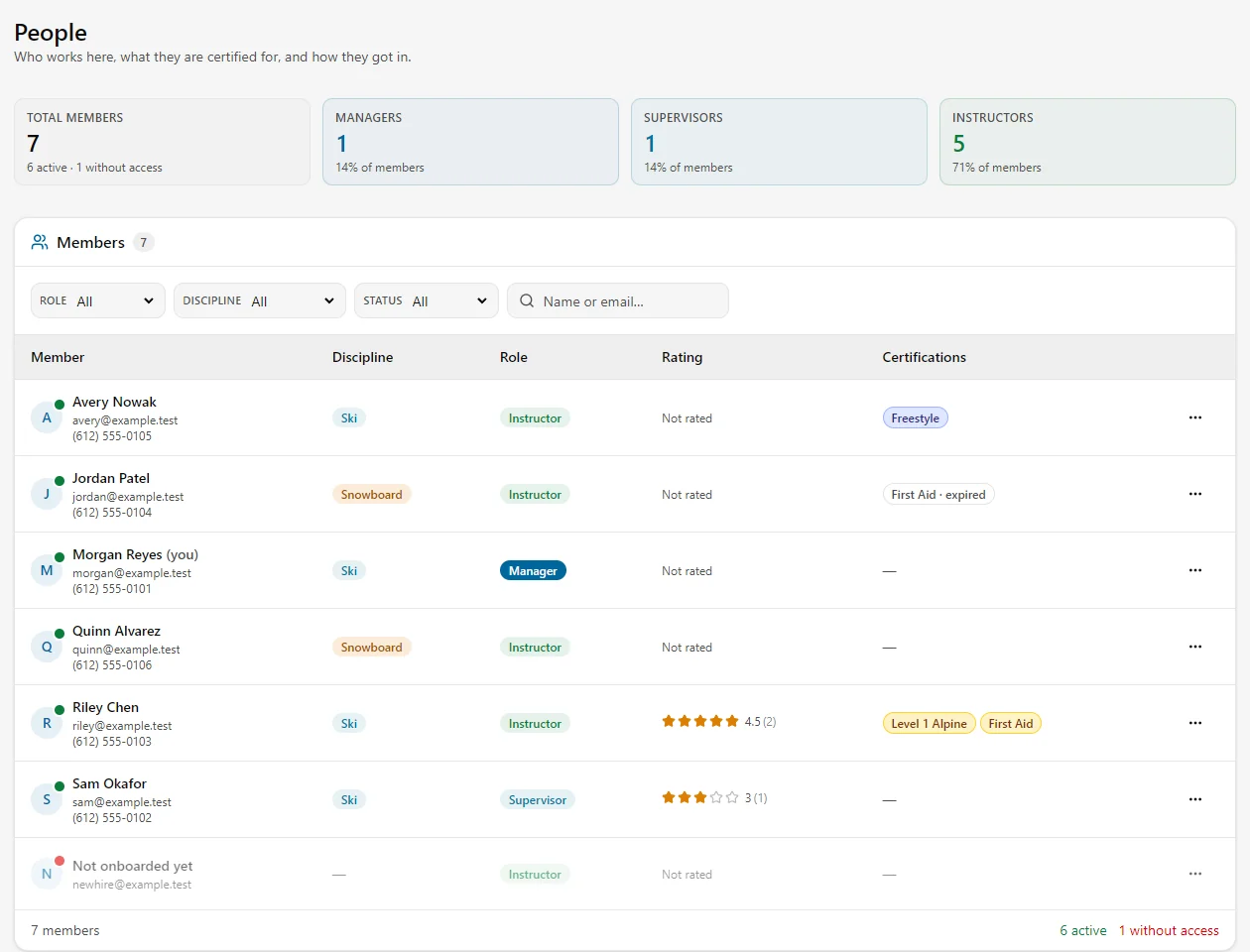
Instructors, supervisors and managers in one list, with the certifications they hold and the ones that have expired. Invite by email, or hand out a link with a cap the database enforces.
- Roles, disciplines and active status, filterable and searchable
- Certifications with expiry, and parent ratings on the instructors who have them
- Invite links that really are the credential: the cap is enforced, not suggested
Keep parents in the loop — in one click.
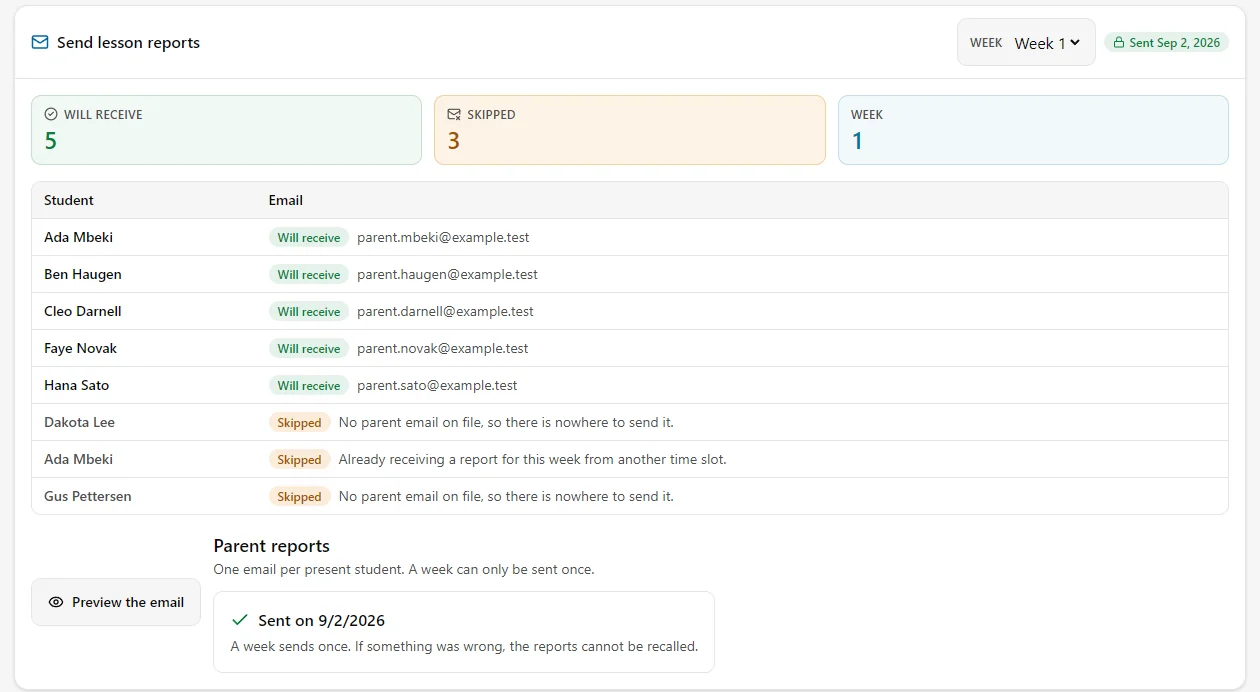
When the week is in, each present student’s family gets their own email: level, terrain, what was worked on, how it went and when the next session is. It tells you who it will skip and why, before it sends.
- One email per present student, with the week-over-week comparison built in
- Skips are explained on screen — no parent email on file, or already covered
- A week sends once, and the send is claimed before an email leaves
- Parents can rate the session and write back; the notes land on the instructor
Ready to put the season on one record?
Skivei is built for snowsports schools and nothing else. If your program is running on paper cards and a spreadsheet, it was written for you.
Sign in